Free Printable Weekly Planner: How to Choose the Right One and Actually Use It
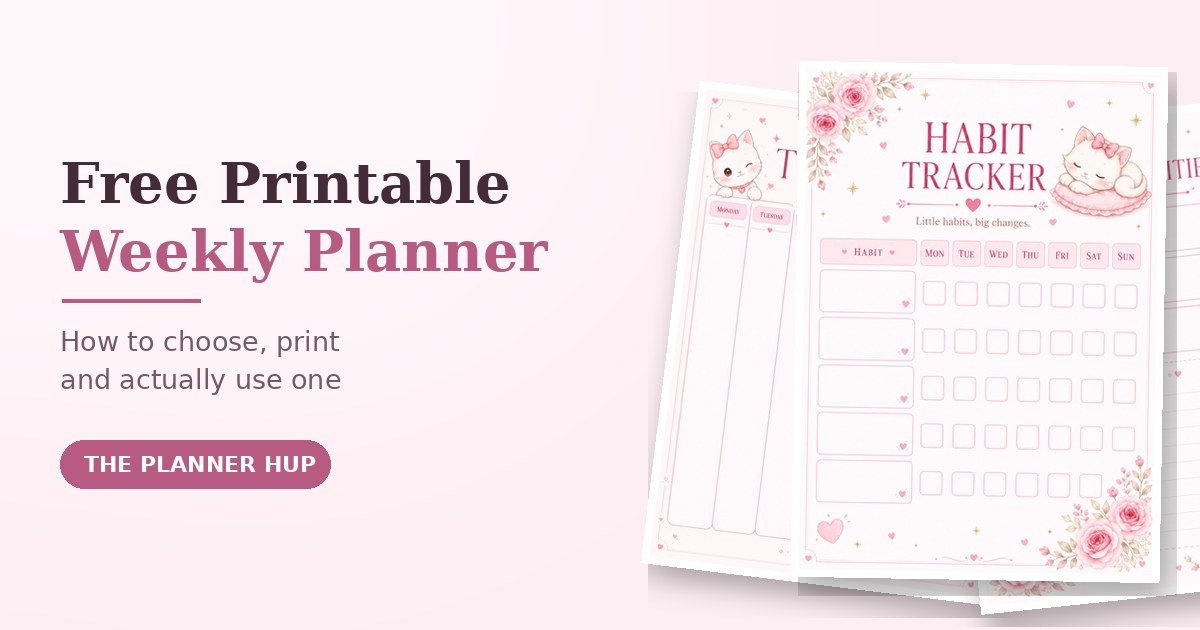
Most people who download a free printable weekly planner use it for about ten days. They print it, fill in one enthusiastic week, and then it disappears under a pile of paper. That rarely means they lack discipline. Usually the layout did not match how they think, the printout came out cut off or faint, or nobody told them what to do with all those empty boxes.
This guide fixes all three problems. You will learn how to choose a weekly planner layout you will really use, how to print a weekly planner PDF properly on A4 or Letter paper, and a simple ten-minute routine for planning your week, whether you are a student, work outside the home, or run a busy household.
Why Plan by the Week Instead of by the Day?
A daily planner asks you to sit down and write every single day. That works for some people, but it is also the first habit to collapse when life gets busy. A weekly planner asks for one short session, and it shows something a daily page cannot: how your commitments balance across seven days.
Seeing the whole week at once helps you notice that Thursday is overloaded while Saturday is empty, that two deadlines land on the same day, or that you have not left a single evening for rest. You can fix those problems on Sunday instead of discovering them on Thursday night.
Planning by the week also sits in a comfortable middle ground. A month is too far away to plan accurately, and a single day is too narrow to see patterns. A week is short enough to predict and long enough to balance, which is why so many organised people build their whole routine around it.
How to Choose a Free Printable Weekly Planner
There are hundreds of free weekly planner templates online, and they look very different. Underneath the decoration, almost all of them fall into a handful of layouts. Choosing the right layout matters far more than choosing the prettiest colours.
The five common weekly planner layouts
| Layout | Best for | Watch out for |
|---|---|---|
| Vertical columns (one tall column per day) | A visual week at a glance; students and general planning | Narrow columns force short entries |
| Horizontal rows (one wide row per day) | Longer notes and task descriptions | Harder to see the whole week at once |
| Block or grid (a box per day plus a notes box) | Mixed schedules that need flexibility | Boxes can be small if the page is crowded |
| Time-blocked (hourly grid) | Classes, meetings and focused work sessions | Can feel rigid and encourage over-scheduling |
| Priority-focused (priorities, to-dos, habits, reflection) | People who want focus, not just a schedule | More sections to fill in each week |
Five questions to ask before you download
- Do I have lots of appointments, or mostly tasks? Appointments suit a time-blocked or column layout. Tasks suit a priorities page with a to-do list.
- Do I want to write by hand or type? Handwriters need generous space. If you prefer typing, look for a fillable version so you never need a printer.
- Do I want more than a schedule? If you also want to build habits or reflect on your week, choose a planner that includes a habit tracker and a reflection page.
- What paper size do I have? Most of the world uses A4. The United States and Canada use Letter. A file that is not made for your paper can still print well if you use the right scale setting, which is covered below.
- Is it undated? An undated planner lets you start in any week without wasting pages. That makes it more forgiving if you start late or skip a week.
Also check whether the week starts on Monday or Sunday. It sounds trivial, but a planner that starts on the wrong day for you is surprisingly annoying to use.
What a Good Weekly Planner Page Should Include
A weekly planner does not need dozens of sections. A page you finish every week beats a page with twenty boxes you skip. These are the parts that earn their space:
- A weekly overview that shows all seven days together, so you can spot overloaded days early.
- Top priorities: two or three things that would make the week a success, not a list of twenty.
- A to-do or brain-dump area where everything floating around your head can land before you sort it.
- A small habit tracker with one to three habits you want to repeat, such as reading, walking or reviewing notes.
- A weekly reflection with a few lines for what went well, what did not, and what to change next week.
That is exactly the structure of our Free Weekly Planner: a cover page, a Monday-to-Sunday weekly overview, a top priorities and to-do page, a habit tracker and a weekly reflection page. Five pages, and every one of them has a job.
How to Print a Weekly Planner PDF (A4, Letter and Common Problems)
Printing is where many good planners go wrong. The design is fine, but the edges are cut off, the colours are pale, or the text is blurry. A minute of setup avoids all of that.
Step-by-step printing
- Download the PDF and open it in a normal PDF viewer such as your browser, Adobe Reader or your phone's built-in viewer. Print from the PDF itself, never from a screenshot, so the lines stay sharp.
- Open the print dialog with Ctrl+P on Windows or Cmd+P on Mac. On a phone, use the Share or menu button and choose Print.
- Pick your paper size: A4 or Letter, whichever is in your printer.
- Set the scale. Choose Actual size if the file matches your paper. Choose Fit to page if it does not. Our Free Weekly Planner pages are drawn with A4 proportions, so on Letter paper choose Fit to page and you will simply get slightly wider margins.
- Choose portrait orientation and print one test page before printing the whole set.
- Check the test page for cut-off edges, faint colours or blurry text, then print the rest.
Paper, ink and storage tips
- Paper weight: ordinary office paper works well for pens and pencils. If you use markers or highlighters, slightly heavier paper reduces bleed-through.
- Ink: soft pastel designs print lightly in draft mode. Use normal quality for the planner and save draft mode for everyday documents.
- Storage: a clipboard, a slim binder with a hole punch, or a simple folder keeps the week within sight. A planner you can see is a planner you will use.
- Batch or weekly: print four copies at once if you like routine, or print one week at a time if you prefer to leave room to change the layout.
Fixing common printing problems
- Edges are cut off: switch from Actual size to Fit to page, and check that the paper size matches your tray.
- Everything looks small: the printer may be scaling down. Set the scale to Actual size or 100 percent, provided the paper size is correct.
- Colours look washed out: turn off draft or economy mode, and check your ink levels.
- Blurry lines: print from the original PDF at standard or high quality rather than from an image.
How to Use a Weekly Planner: A 10-Minute Routine
Owning a planner is not the same as using one. The difference is a short, repeatable routine. Pick one fixed time each week, such as Sunday evening or Friday afternoon, and follow these steps.
- Brain dump (2 minutes). Write everything on your mind onto the to-do or notes page: tasks, worries, errands, ideas. Do not sort anything yet. Getting it out of your head is the whole point.
- Add fixed commitments first (2 minutes). Classes, work shifts, appointments and deadlines go in before anything else. If your days are structured around prayer times, mark those as anchors first and plan the rest of the day around them.
- Choose three weekly priorities (2 minutes). Look at your brain dump and ask which two or three things would make this week a success. Write them at the top of the priorities page.
- Spread tasks across the week (2 minutes). Give each day no more than three tasks. Put demanding tasks on the days when you usually have the most energy, and keep at least one lighter day.
- Pick one to three habits (1 minute). Add them to the habit tracker. Fewer habits tracked honestly beat many habits abandoned by Wednesday.
- Leave a buffer (1 minute). Keep one empty slot each day. Something unexpected will happen, and empty space means it does not wreck your plan.
Your daily check-in (about one minute)
Each morning, glance at today's column and tick off yesterday's tasks. If something did not get done, move it or drop it. Do not let a missed task become a reason to abandon the whole week.
The end-of-week review (about five minutes)
Before you plan the next week, use the reflection page to answer three questions: What did I finish? What carries over, and does it still matter? What is one thing I would change next week? This small review is what turns a planner from a list into a learning tool, because your next plan becomes more realistic every time.
Weekly Planner Ideas for Students, Work and Home
For students
List your classes and fixed commitments first, then add deadlines and one focused study block for each subject. Put exams and big assignments in your priorities so they do not sneak up on you. If you want more room for a full term, the Student Planner 2026 and the Student Full Year Planner build on the same weekly idea, and the free GPA calculator helps you track your goals.
For work
Write outcomes rather than tasks: "finish the client proposal" is better than "work on proposal". Group meetings onto fewer days to protect longer stretches of focused time. The free time blocking planner pairs well with a weekly page when your calendar is packed.
For home and family
Use the weekly overview for school runs, meals, errands and family plans, and give yourself at least one slot a week that is only for you. If you want to organise goals, routines and everyday life in one place, the My Life Planner goes further. Our guide to building a daily routine that sticks is a good next read.
Printable, Fillable or App: Which Should You Use?
| Format | Good at | Trade-offs |
|---|---|---|
| Printable (pen and paper) | Screen-free focus, easy sketching, satisfying to tick off | Needs a printer, and you reprint each week |
| Fillable (type, then download) | No printer needed, tidy typing, easy corrections | Download your PDF before closing the page, otherwise your entries reset |
| Calendar app | Reminders and appointments that must alert you | Notifications compete for attention, and priorities can get buried |
You do not have to choose only one. A common combination is a calendar app for fixed appointments that need reminders, plus a printable or fillable weekly page for priorities, habits and reflection. If you would like to try typing first, our Fillable Weekly Planner lets you type directly on the page and download the completed PDF.
7 Mistakes That Make Weekly Planners Fail
- Overfilling the week. If every slot is full, one delay breaks everything. Plan for about two thirds of your time.
- Having no priorities. Without two or three clear priorities, every task looks equally urgent and the important ones slide.
- Planning only work. Rest, family, prayer, exercise and hobbies belong on the page too, or they will always be squeezed out.
- Tracking too many habits. Start with one to three. You can add more once those feel automatic. The habit and fitness tracking guide explains why.
- Never reviewing. Without a weekly review, you repeat the same unrealistic plan and wonder why it fails.
- Choosing a planner that is too complicated. If it takes twenty minutes to fill in, you will stop. Simpler almost always wins.
- Quitting after a missed day. Mark it honestly and carry on. A planner is meant to help you, not to grade you.
Try Our Free Weekly Planner
If you would like to put all of this into practice today, our free weekly planner is a five-page PDF designed around the routine above: a cover page, a Monday-to-Sunday weekly overview, a top priorities and to-do page, a habit tracker and a weekly reflection page. It is completely free to download and print as many times as you like for your own use.
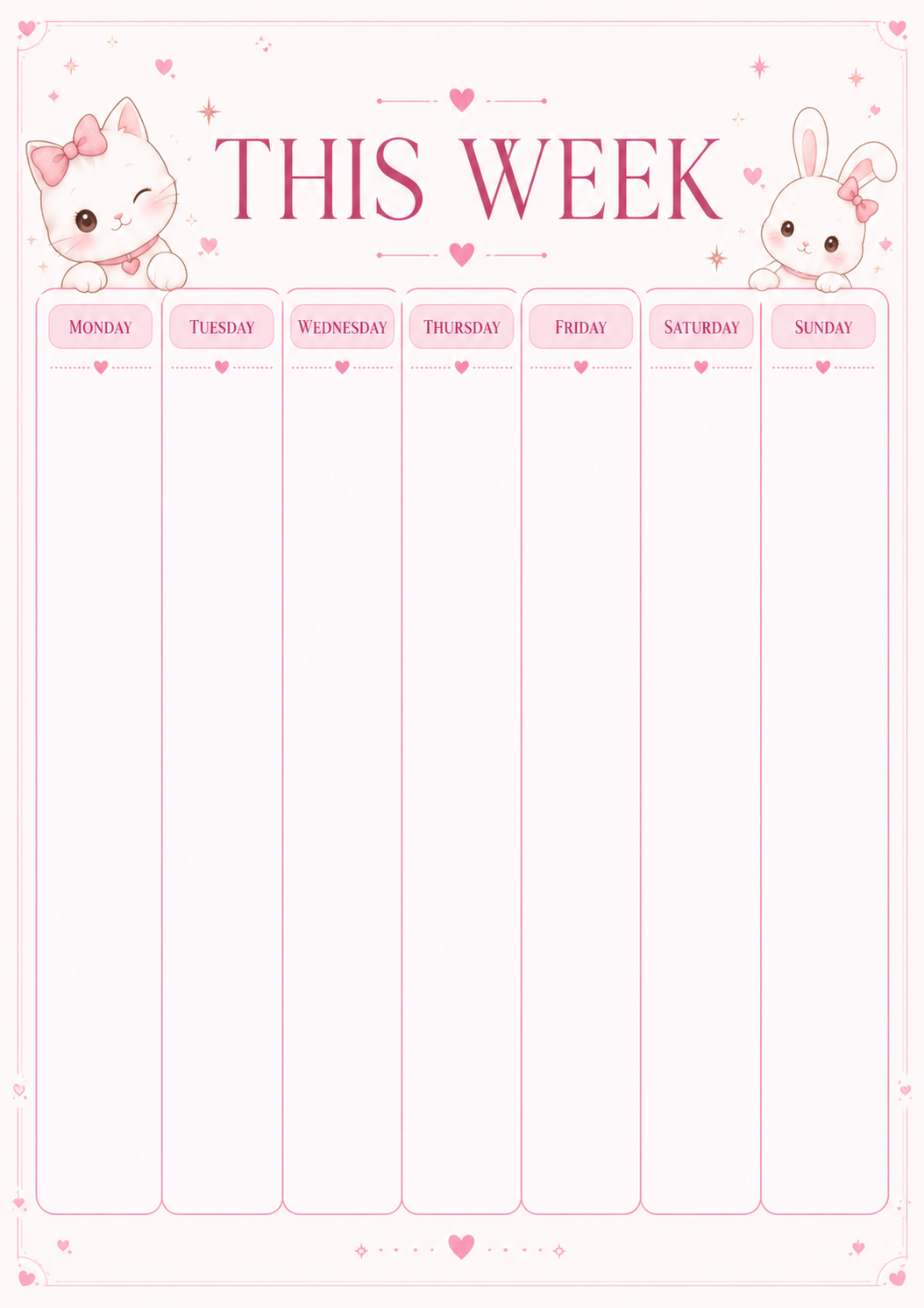
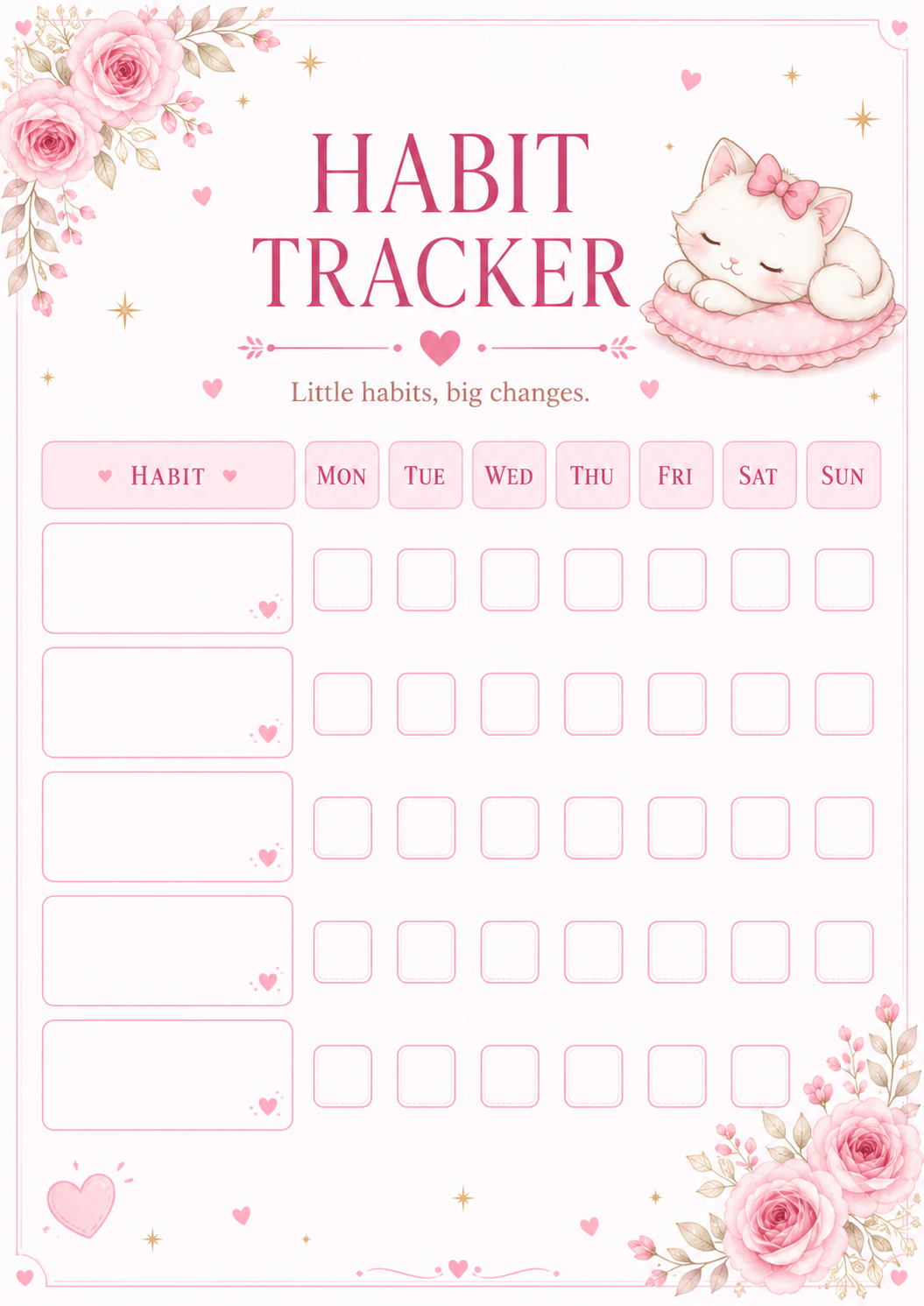
Prefer not to print? Use the fillable version and type straight into the planner. Both are free.
Frequently Asked Questions
What is the best free printable weekly planner?
The best free printable weekly planner is the one whose layout matches how you actually plan. If you think in days, choose a seven-column overview. If you live by a to-do list, choose a priorities page. Pick one you will genuinely fill in, check that it prints cleanly on your paper size, and use it with a short planning session before each week.
How do I print a weekly planner PDF on A4 or Letter paper?
Open the PDF in any PDF viewer, press Ctrl+P (Cmd+P on Mac), choose your paper size and set the scale. Use Actual size when the file matches your paper, or Fit to page when it does not, for example an A4-shaped file on Letter paper. Choose portrait orientation and print one test page before printing the rest.
How do I use a weekly planner effectively?
Spend about ten minutes before the week starts: empty your head onto a brain-dump list, add fixed commitments first, choose three weekly priorities, spread tasks across the week with no more than three per day, and leave some free space. Then spend a few minutes at the end of the week reviewing what worked.
What should a weekly planner include?
A good weekly planner page should include a week-at-a-glance overview, space for top priorities, a to-do or brain-dump area, a small habit tracker, and a short weekly reflection. Extra sections are optional; a page you finish beats a page with twenty sections you skip.
Is a weekly planner better than a daily planner?
A weekly planner is usually easier to keep up because it takes minutes rather than a daily writing session, and it shows how your commitments balance across the whole week. A daily planner suits people with tightly scheduled days. Many people use a weekly page for the big picture and a small daily list for the details.
Should my week start on Monday or Sunday?
Start your planner on whichever day your week actually begins. Many people plan on Sunday evening or Friday afternoon regardless of the start day. What matters is having a fixed planning time each week, not the day printed at the top of the page.
How long should weekly planning take?
About ten minutes to plan the week and about five minutes to review it. If planning takes much longer, your planner probably has too many sections or you are scheduling too many tasks. Simplify the page and reduce the daily task count.
Should I use a printable or a fillable weekly planner?
Use a printable planner if you enjoy writing by hand and want a screen-free routine. Use a fillable planner if you do not have a printer or prefer typing. With a fillable page, download your completed PDF before closing the page so your entries are saved as a file.
Download the Free Weekly Planner Or type it online